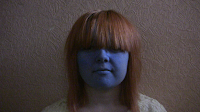
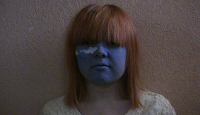
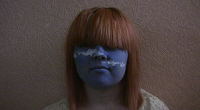
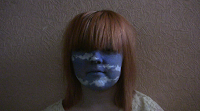
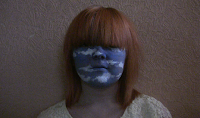
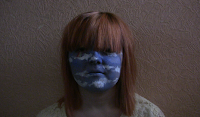
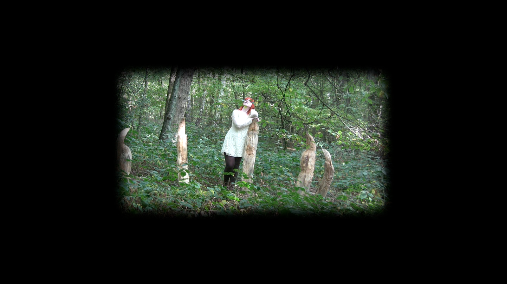
The ident will appear a few seconds into the start of the video, and last a few seconds to give people enough time to read it, but not to get too distracted from the video. I will place it in the bottom left hand corner of the screen.
Labels
- Audience theory (6)
- Digipak (9)
- Editing (12)
- Evaluation (4)
- Filming (3)
- Genre theory (1)
- Magazine advert (5)
- Music video (1)
- Narrative theory (7)
- Planning (17)
- Research (15)
- Research and Planning (34)
- Theory (13)
- Videos (5)
Monday, 12 December 2011
Live type
Today I used live type to create an ident to introduce the song and artist at the start of the video, like you would find when watching a music channel.
Saturday, 10 December 2011
Stills from the video to use in the digipak and magazine advert
Here are some stills from my music video that I may use when creating my digipak and magazine advert.


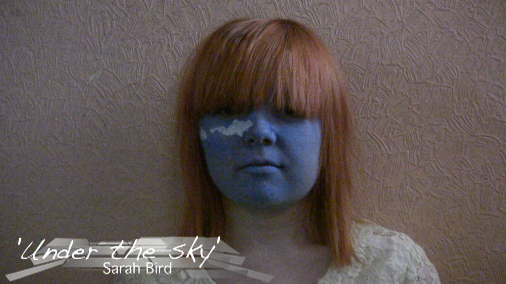
I took stills of all the stages of the face painting as when editing them I may be able t put them together in some way.
I also took stills of the section of the video where she imagines going outside. This is because I could put them together and make them smaller to make a 'college' of this section. With the shots in which she jumps or runs off, I took stills where she is doing this as I though it would look more interesting rather than having motionless looking frames of her.
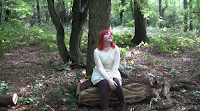

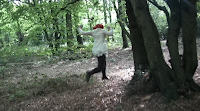

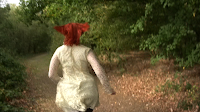
With the stills of her when she finally leaves, I again took ones of her moving as it looks more interesting, and reflects the mood of the part of the song as it is much more happier and lively than the earlier parts of the video as she finally has left and is excited and happy.
OF the stills i have taken, I think I am more likely to use the one of the full face paints as it is a key part of the video, and the bigger outside shots as I think these look happier and more fun, and I am trying to show a positive message through the video, to give the feeling that things can get better, you just need to try your hardest, and so I would like to use the more positive looking stills.
I am also hoping to use some hand made artwork in the digipak, as I have noticed that in many digipaks art work is used. Also, as the face paints are a key part of the video, and so I am hoping to have a hand made painting similar to the face paint t use in the digipak and magazine advert. I may also make a photo shoot of the girl in her outfit to get some different compositions of her, possibly in different locations.
I will try out some different designs over the following weeks and then I shall chose the best one, or possibly combine several of the ideas depending on what I feel looks best.
Tuesday, 6 December 2011
Digipak designing
Now my video has been mostly edited, and all that is left to do is to tweak it here and there, I will start to look more into my magazine poster, and digipak.
I currently have a few ideas for the digipak, and over the coming weeks I shall produce them.
While I've been researching into what digipak are and anyalsying them, I have noticed that they often have some kind of hand made artwork. As a big part o my video involves facepaints of a sky, I decided to include this in the digipak.
I have asked the girl who was kind enough to do the facepainting for the video if she would be willing to do some painting which I can use as part of the digipak.
I am also organising a photoshoot with Natasha, who played the girl in the video, as often pictures of the artist are included on a digipak.
Wednesday, 23 November 2011
Some more editing
After watching through my video again, I felt that one shot didn't fit very well.

This is because you can see the white curtain, no cover on the window and the lighting is different to the rest of the shots filmed in this area. This is because orginally, at the start of our first filming day, two covers were used on the window. However, when we attempted the shots where the cover was pulled from the window, the second cover posed a problem and stopped the window being uncovered properly. We then removed the second cover, and had just the one. Unfortunately, while all the other footage was re-shot without the second cover, this part was forgotten. Due to this, at the start of our second day of filming we attempted to film this shot again, and got the above.
After looking through footage to see if there was a better shot we could use instead, I found some of the footage with the two covers that I was not intending to use, which featured this shot with the covers, and the same lighting as the rest.
Its not very obvious here, but the second cover can be seen. However, I felt it would be better to use this shot rather than the out of place looking other shot. So, I cropped the shot so that the cover was no longer visible.
Saturday, 19 November 2011
Editing.
After making some of my footage's edges fading into the background, I tried to do this on all shots where she is imagining being outside to make it clearer she was imagining. After doing this, I watched it back and it looked like too much, so I returned the shots to normal apart from one shot of the sky spinning as I though the edges looked good here, and the part I originally edited to have these edges from my last editing session.
Wednesday, 16 November 2011
Further editing
After my last editing session, and the fade outs that didn't work, I continued to find a way of editing the shots together of the girl imaging being outside. After looking at the different options I have to edit the footage, and trying some of it out, I decided on making the shots smaller, and having them straight cut to the beat of the music in different positions on the screen.


One of the shots of my my footage looked like this:

After deciding on how edit it, and play around with other kinds, I clicked the motion tab on my editing window, and made these changes
I made the shot smaller, by moving the scale bar down to 57. To then make it clear she was imagining what was happening, also moved the 'Edge Feather' bar up to 100, making the edges of the shots fade into the plain background.
The finishing shots will then resemble this
I did the same as the other shots, but I also changed their positioning as I think this works well.
Sunday, 13 November 2011
Capturing and editing
Today I captured the footage I filmed at the park. Unfortunately, most of the footage I sot didn't come out to well and so I am unable to use this. I will continue to edit for now with the little new footage I have. If after putting the new footage in, if I feel like it doesn't work still, I shall go and film some more.

After capturing, I continued to edit. In one part of my video, many different shots of the girl outside are sown as she imagines being outside. The part of the song that these shots appear has a repeated beat, like the start of the song, so I previously edited the footage to reflect this. I the decided it was boring to have each shot connected with a straight shot, so I decided to fade the end of the shots out, and the new shots just straight cut in.
However, after watching this bad I felt that there were now to many fades and it didn't look as good as I hoped it would have done. So, I took all the fades out and during my next editing session I will try to find another way to edit this part of the video.
Subscribe to:
Posts (Atom)